
Best AM5 Motherboards and 360mm AIO Coolers
The foundations of a high-end Ryzen build: the best AM5 motherboards from X870E flagships to value B650 boards, plus the top 360mm AIO liquid coolers to keep them running cool.
9 picks · Published
Top picks at a glance
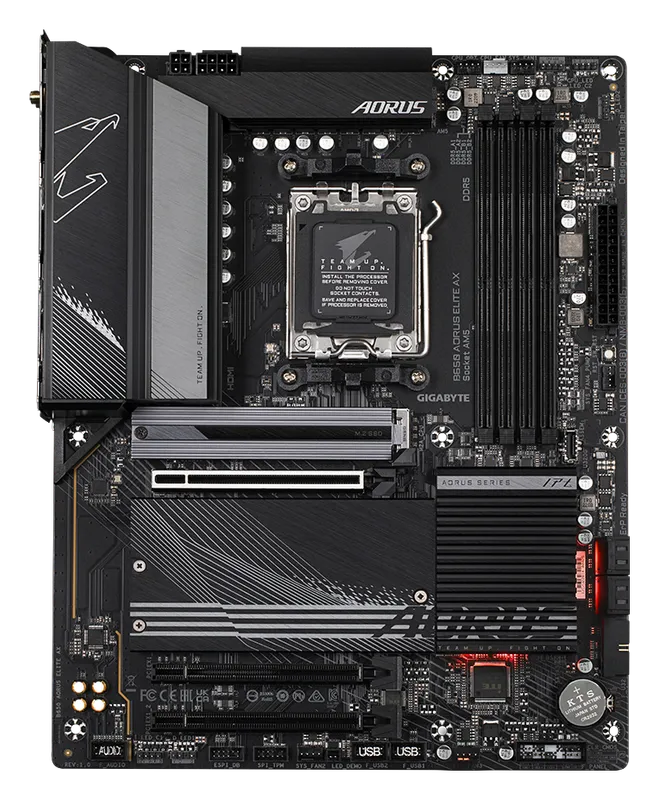
Gigabyte B650 Aorus Elite AX
Check pricefor Gigabyte B650 Aorus Elite AX (opens in a new tab)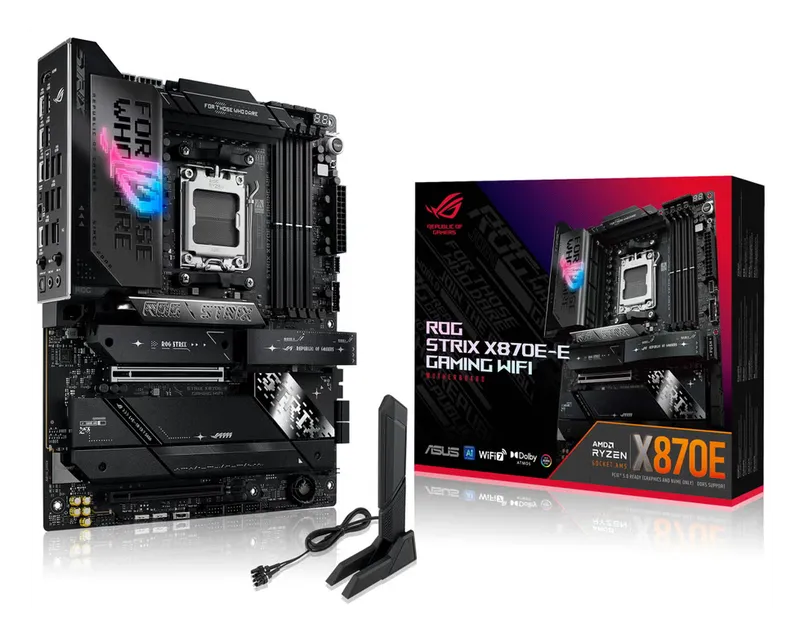
ASUS ROG Strix X870E-E Gaming WiFi
Check pricefor ASUS ROG Strix X870E-E Gaming WiFi (opens in a new tab)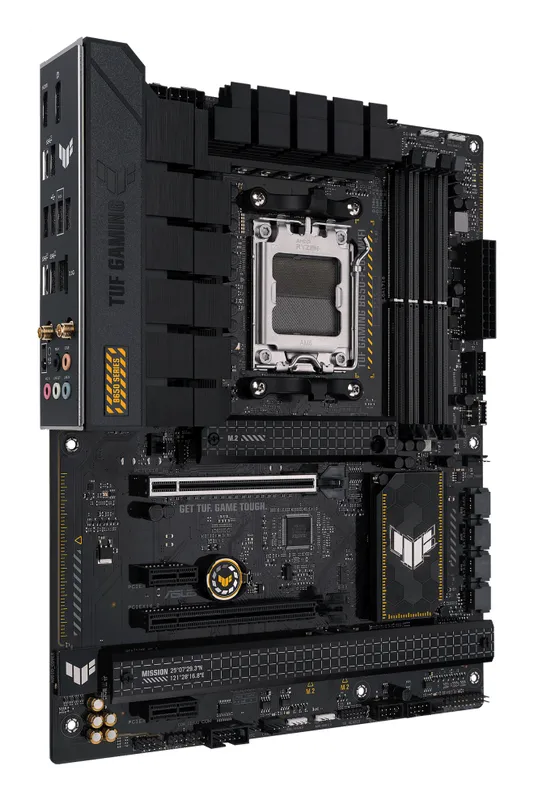
ASUS TUF Gaming B650-Plus WiFi
Check pricefor ASUS TUF Gaming B650-Plus WiFi (opens in a new tab)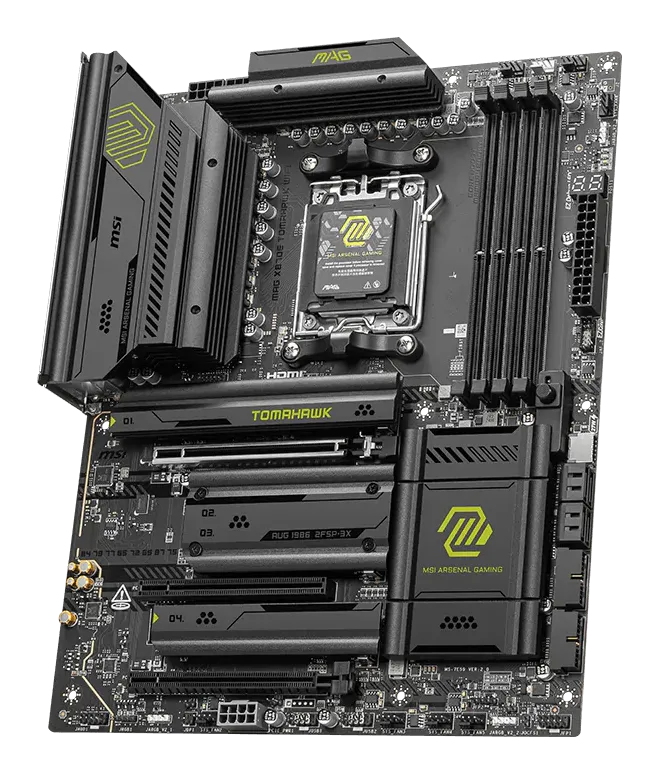
MSI MAG X870E Tomahawk WiFi
Check pricefor MSI MAG X870E Tomahawk WiFi (opens in a new tab)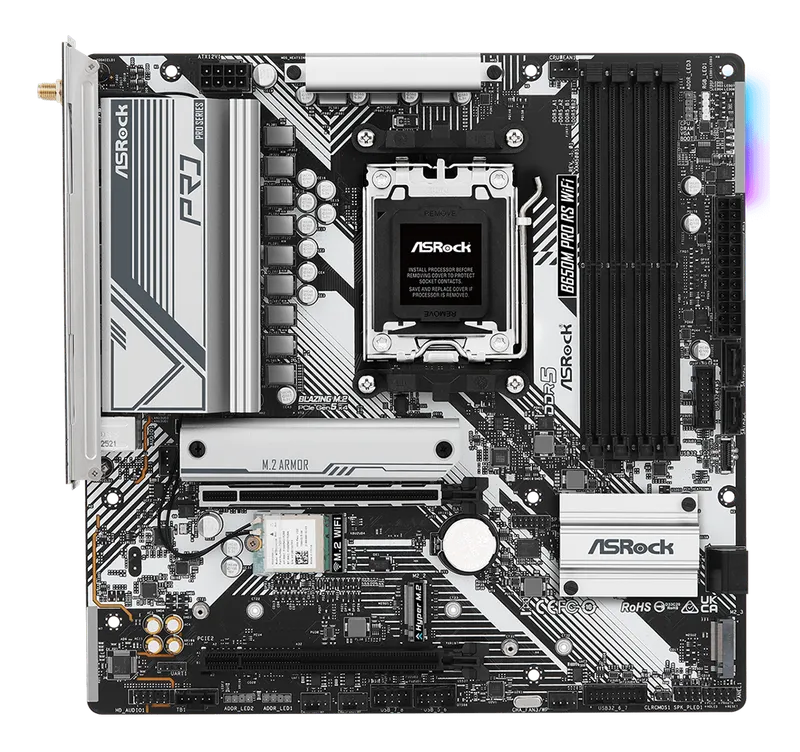
ASRock B650M Pro RS WiFi
Check pricefor ASRock B650M Pro RS WiFi (opens in a new tab)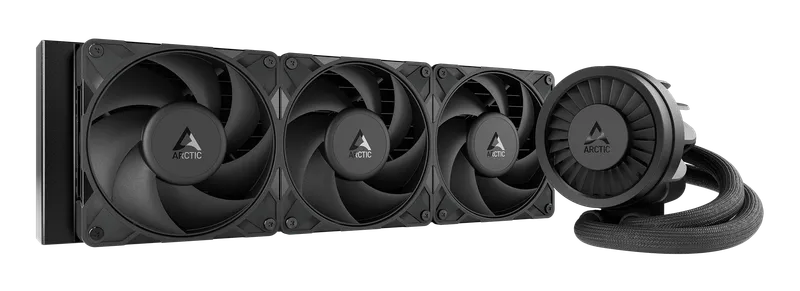
Arctic Liquid Freezer III Pro 360
Check pricefor Arctic Liquid Freezer III Pro 360 (opens in a new tab)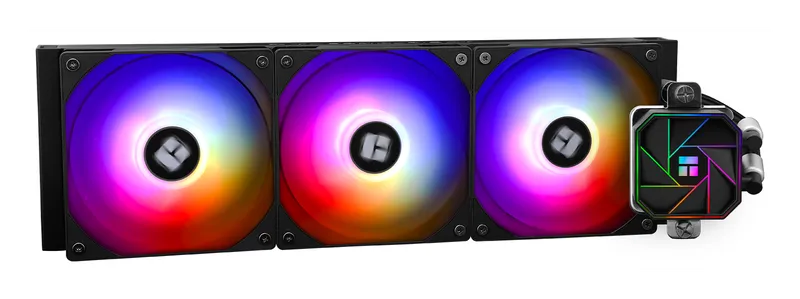
Thermalright Aqua Elite 360
Check pricefor Thermalright Aqua Elite 360 (opens in a new tab)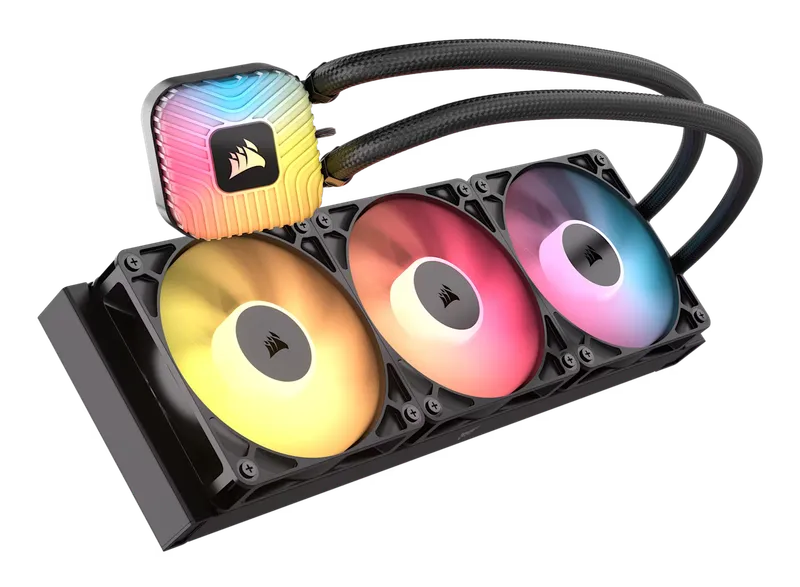
Corsair Nautilus 360 RS ARGB
Check pricefor Corsair Nautilus 360 RS ARGB (opens in a new tab)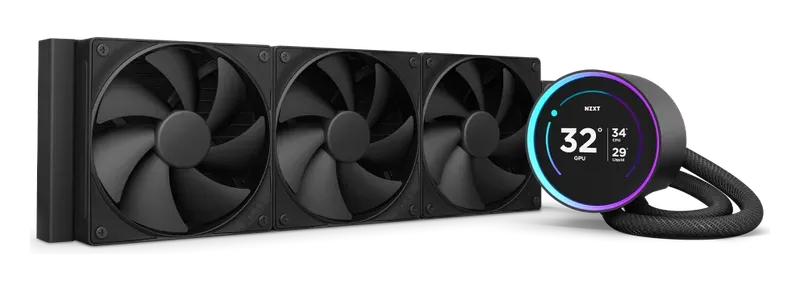
NZXT Kraken Elite 360
Check pricefor NZXT Kraken Elite 360 (opens in a new tab)Compare specs
| Product | #1Gigabyte B650 Aorus Elite AXBest value | #2ASUS ROG Strix X870E-E Gaming WiFiBest high-end | #3ASUS TUF Gaming B650-Plus WiFiBest budget ATX | #4MSI MAG X870E Tomahawk WiFiBest overall motherboard | #5ASRock B650M Pro RS WiFiBest micro-ATX |
|---|---|---|---|---|---|
| Our rating | |||||
| Price | $$ | $$$$ | $$ | $$$ | $ |
| Chipset | AMD B650 | AMD X870E | AMD B650 | AMD X870E | AMD B650 |
| Form factor | ATX | ATX | ATX | ATX | Micro-ATX |
| GPU slot | PCIe 4.0 x16 | PCIe 5.0 x16 | PCIe 4.0 x16 | PCIe 5.0 x16 | PCIe 4.0 x16 |
| M.2 slots | Multiple, incl. PCIe 5.0 (check listing) | Multiple, incl. PCIe 5.0 (check listing) | Check listing | Multiple, incl. PCIe 5.0 (check listing) | Check listing |
| Networking | Wi-Fi 6E (check revision), 2.5 GbE | Wi-Fi 7, 5 GbE | Wi-Fi (check generation), 2.5 GbE | Wi-Fi 7, 5 GbE | Wi-Fi (check generation), 2.5 GbE |
| USB4 | No | Yes | No | Yes | No |
| Buy | Check pricefor Gigabyte B650 Aorus Elite AX (opens in a new tab) | Check pricefor ASUS ROG Strix X870E-E Gaming WiFi (opens in a new tab) | Check pricefor ASUS TUF Gaming B650-Plus WiFi (opens in a new tab) | Check pricefor MSI MAG X870E Tomahawk WiFi (opens in a new tab) | Check pricefor ASRock B650M Pro RS WiFi (opens in a new tab) |
The picks, reviewed
GigabyteGigabyte B650 Aorus Elite AX
The go-to value board for AM5 gaming builds. It handles high-end Ryzen chips, including X3D gaming CPUs, with solid power delivery, fast networking, and a PCIe 5.0 M.2 slot.
Pros
- Handles even top Ryzen CPUs at a mid-range price
- Wi-Fi and 2.5 GbE included
- Frequently discounted
Cons
- PCIe 4.0 GPU slot, which is fine for today's cards
- No USB4
- Chipset
- AMD B650
- Form factor
- ATX
- GPU slot
- PCIe 4.0 x16
- M.2 slots
- Multiple, incl. PCIe 5.0 (check listing)
ASUSASUS ROG Strix X870E-E Gaming WiFi
A premium X870E board with abundant M.2 storage, excellent BIOS tools, and the build-friendly touches ASUS is known for, such as quick-release latches.
Pros
- Loaded with M.2 slots and I/O
- Excellent BIOS and tuning tools
- Tool-free build conveniences
Cons
- Expensive
- Features most gamers will never use
- Chipset
- AMD X870E
- Form factor
- ATX
- GPU slot
- PCIe 5.0 x16
- M.2 slots
- Multiple, incl. PCIe 5.0 (check listing)
ASUSASUS TUF Gaming B650-Plus WiFi
A durable, no-nonsense ATX board with the essentials covered. It is a dependable base for a mid-range Ryzen gaming build.
Pros
- Solid build quality and power delivery
- Wi-Fi and 2.5 GbE included
Cons
- Fewer premium extras than the Aorus Elite
- No USB4
- Chipset
- AMD B650
- Form factor
- ATX
- GPU slot
- PCIe 4.0 x16
- M.2 slots
- Check listing
MSIMSI MAG X870E Tomahawk WiFi
Flagship-class X870E features without the flagship price: PCIe 5.0 for GPU and SSD, Wi-Fi 7, 5 GbE, USB4, and a robust power design that handles any Ryzen chip.
Pros
- PCIe 5.0 for both graphics and NVMe
- Wi-Fi 7, 5 GbE LAN, and USB4
- Strong VRM and cooling for Ryzen 9 CPUs
Cons
- Costs more than B650/B850 boards that game just as well
- Chipset
- AMD X870E
- Form factor
- ATX
- GPU slot
- PCIe 5.0 x16
- M.2 slots
- Multiple, incl. PCIe 5.0 (check listing)
ASRockASRock B650M Pro RS WiFi
An affordable micro-ATX board that still runs fast DDR5 and modern Ryzen CPUs. It is ideal for compact and budget-conscious builds.
Pros
- Very low price for AM5
- Compact micro-ATX fits smaller cases
- Wi-Fi included
Cons
- Fewer expansion slots and headers
- Better suited to mid-range than top Ryzen 9 CPUs
- Chipset
- AMD B650
- Form factor
- Micro-ATX
- GPU slot
- PCIe 4.0 x16
- M.2 slots
- Check listing
ArcticArctic Liquid Freezer III Pro 360
Chart-topping cooling for the money. A thick radiator, strong fans, an integrated VRM fan, and AM5-optimized offset mounting put it ahead of AIOs that cost far more.
Pros
- Top-tier cooling performance at a mid-range price
- Offset mounting targets the Ryzen hotspot
- Built-in VRM fan cools the motherboard power stages
Cons
- Thick radiator, so check your case clearance
- No screen or fancy pump cap
- Radiator
- 360 mm (thick, ~38 mm)
- Fans
- 3 × Arctic P12 Pro
- Extras
- Integrated VRM fan, AM5 offset mounting
- RGB
- Optional (A-RGB versions)
ThermalrightThermalright Aqua Elite 360
Real 360 mm liquid cooling for the price of a mid-range air cooler, with ARGB included. It is the easiest way into an AIO on a tight budget.
Pros
- Very low price for a 360 mm AIO
- ARGB lighting included
Cons
- Louder and less refined than premium AIOs
- Shorter warranty than Arctic or NZXT (check listing)
- Radiator
- 360 mm
- Fans
- 3 × 120 mm ARGB
- Extras
- Check listing
- RGB
- Yes (ARGB)
CorsairCorsair Nautilus 360 RS ARGB
Corsair’s easy 360 mm AIO: the pump and three RS120 ARGB fans plug straight into the motherboard, with no separate controller or software needed, and the fans daisy-chain to cut down on cables.
Pros
- Plugs straight into the motherboard: no hub, controller, or iCUE required
- Daisy-chained ARGB fans keep the wiring tidy
- Quiet: 10–36 dBA, with Zero RPM fan mode
Cons
- No pump-cap screen (that is the LCD model)
- Lighting follows your motherboard’s RGB software
- Radiator
- 360 mm
- Fans
- 3 × RS120 ARGB (up to 2,100 RPM)
- Extras
- FlowDrive pump, 5-year warranty
- RGB
- ARGB (motherboard-controlled)
NZXTNZXT Kraken Elite 360
A large, customizable LCD on the pump shows temperatures, GIFs, or artwork. It pairs strong cooling with the most eye-catching centerpiece for a glass-panel build.
Pros
- Large customizable LCD screen
- Clean, premium aesthetics
- Strong cooling performance
Cons
- Expensive for the cooling performance
- LCD features require NZXT CAM software
- Radiator
- 360 mm
- Fans
- 3 × 120 mm (RGB or non-RGB, by SKU)
- Extras
- LCD display on pump
- RGB
- Optional (by SKU)
Choosing an AM5 motherboard
Chipsets, explained
| Chipset | GPU slot | NVMe | USB4 | Who it’s for |
|---|---|---|---|---|
| X870E | PCIe 5.0 | PCIe 5.0 | Yes | Enthusiasts who want every feature |
| X870 | PCIe 5.0 | PCIe 5.0 | Yes | High-end builds with fewer extras |
| B850 / B650E | Varies (check board) | PCIe 5.0 | Varies | Upper-mid-range builds |
| B650 | Usually PCIe 4.0 | PCIe 5.0 on many boards | Rarely | Best value for gaming |
| A620 | PCIe 4.0 | PCIe 4.0 | No | Budget builds with 65 W CPUs |
Our take: gaming performance is effectively identical between B650 and X870E with the same CPU and GPU. Pay for X870E only if you want USB4, Wi-Fi 7, 5 GbE, or lots of PCIe 5.0 storage.
Does PCIe 5.0 for the GPU matter?
Not much yet. Today’s graphics cards lose little to no performance in a PCIe 4.0 x16 slot. PCIe 5.0 is mostly future-proofing.
Pick the right size
- ATX: the most slots, headers, and M.2 sockets. The default for mid-tower cases.
- Micro-ATX: smaller and cheaper, with fewer expansion slots. Great for compact builds.
- Mini-ITX: tiny builds. Expect premium prices and limited expansion.
Features that save headaches
- BIOS Flashback lets you update the BIOS from a USB drive without a CPU installed. It’s a lifesaver when pairing an older board with a newer CPU.
- Enough M.2 slots for your current drives plus one spare.
- Rear USB ports and fan headers. Count what you actually plug in.
Choosing a 360mm AIO cooler
360mm AIOs at a glance
| Cooler | Standout feature | Software | Best for |
|---|---|---|---|
| Arctic Liquid Freezer III Pro 360 | Thick radiator, VRM fan, offset mount | None needed | Best cooling per dollar |
| NZXT Kraken Elite 360 | LCD pump display | NZXT CAM | Showpiece glass-panel builds |
| Corsair Nautilus 360 RS ARGB | Single-cable daisy-chain | Corsair iCUE | Corsair RGB ecosystems |
| Thermalright Aqua Elite 360 | Very low price, ARGB | None needed | Tight budgets |
Do you need a 360mm AIO?
- Ryzen 9 CPUs (12–16 cores) run hot under all-core loads and benefit most from a 360 mm AIO.
- Ryzen 7 X3D gaming CPUs are comparatively efficient. A good dual-tower air cooler or 240 mm AIO handles them well. Choose a 360 mm AIO for lower noise or looks rather than necessity.
- Air coolers have no pump to fail and no liquid to leak. Top dual-tower air coolers rival many 240 mm AIOs.
Check case clearance
Confirm your case supports a 360 mm radiator in your chosen position (top or front), including radiator thickness. Thick radiators such as the Liquid Freezer III can collide with tall RAM or motherboard heatsinks when top-mounted.
Mount it the right way
- Top-mounted as exhaust is ideal: air bubbles collect in the radiator, away from the pump.
- Front-mounted? Put the tubes at the bottom, so the pump is never the highest point in the loop.
- Never mount the pump above the radiator, because trapped air causes gurgling noise and eventually pump wear.
FAQ
Will a B650 board handle a Ryzen 9? A quality B650 board with solid power delivery, such as the Aorus Elite AX, handles Ryzen 9 CPUs fine. Budget boards are better suited to Ryzen 5 and 7.
Do I need to update the BIOS for a new Ryzen CPU? Often, yes, especially with older boards and newer CPUs. Check the board’s CPU support list, and prefer boards with BIOS Flashback.
How long do AIO coolers last? Typically several years. Pumps are the usual failure point, so favor models with long warranties and watch for rising CPU temperatures or new pump noise.