
Best PC Cases
The best PC cases for airflow, looks, and easy building: high-airflow mid-towers, showcase dual-chamber cases, wood-accented designs, budget picks, and compact small-form-factor builds.
8 picks · Published
Top picks at a glance
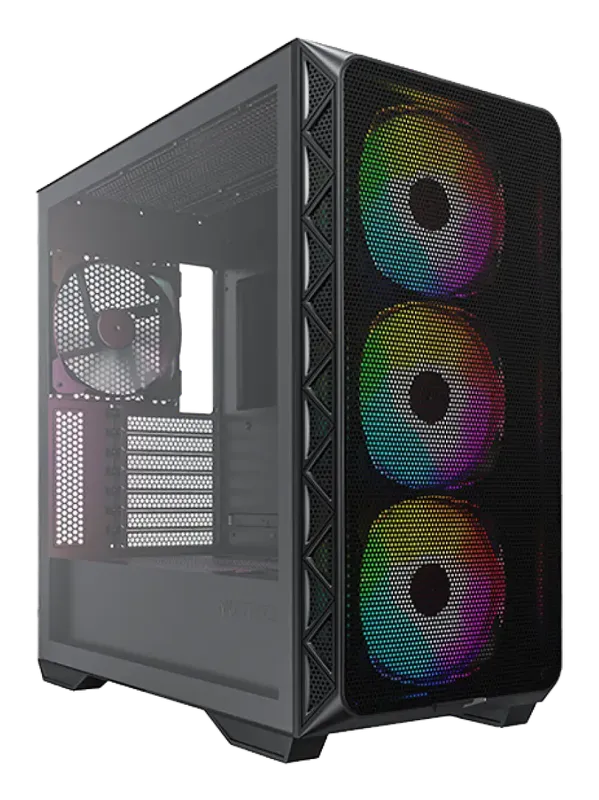
Montech AIR 903 MAX
Check pricefor Montech AIR 903 MAX (opens in a new tab)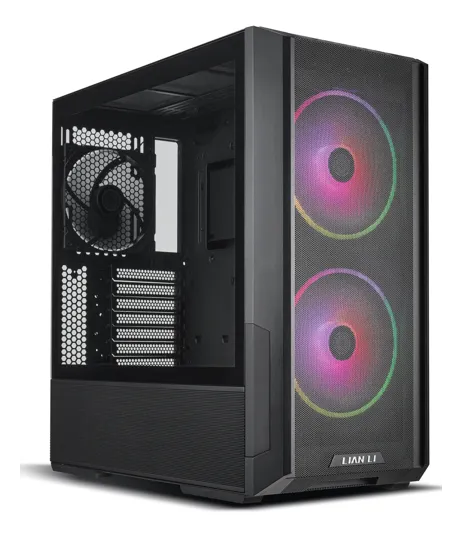
Lian Li Lancool 216
Check pricefor Lian Li Lancool 216 (opens in a new tab)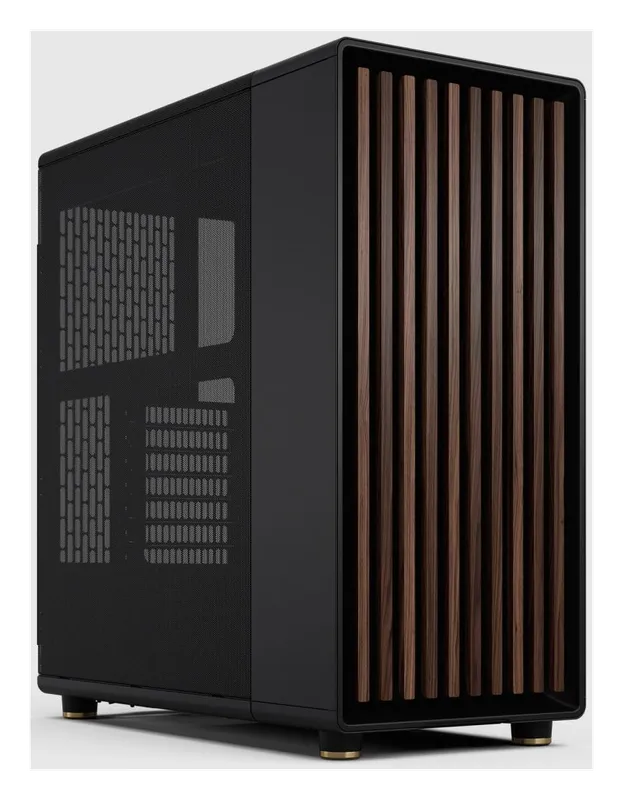
Fractal Design North
Check pricefor Fractal Design North (opens in a new tab)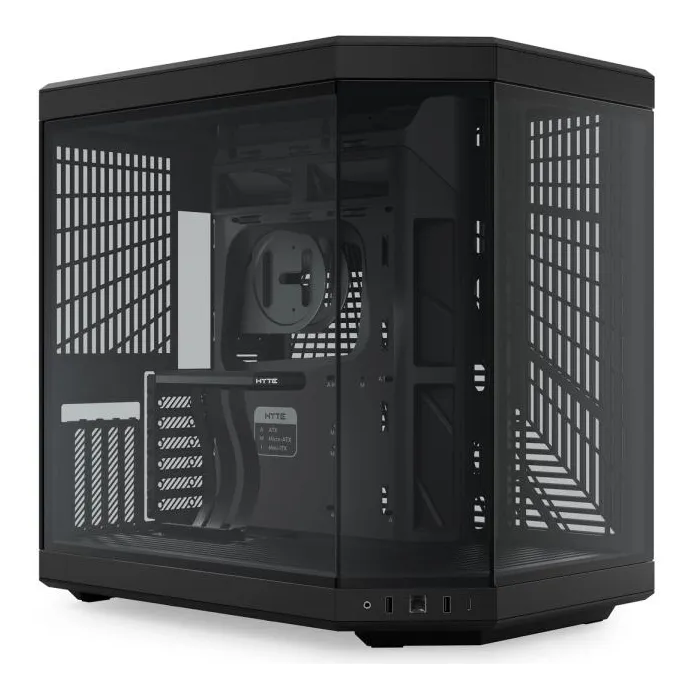
HYTE Y70
Check pricefor HYTE Y70 (opens in a new tab)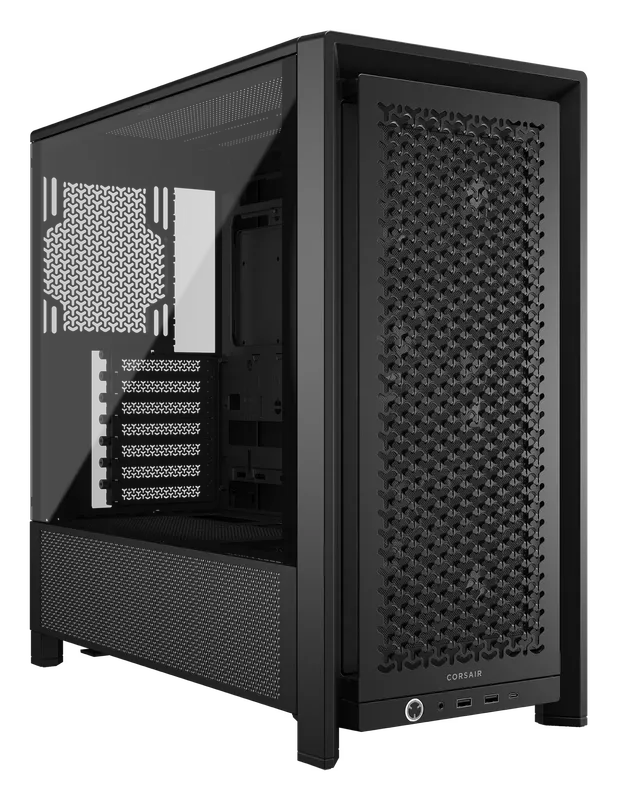
Corsair FRAME 4000D RS
Check pricefor Corsair FRAME 4000D RS (opens in a new tab)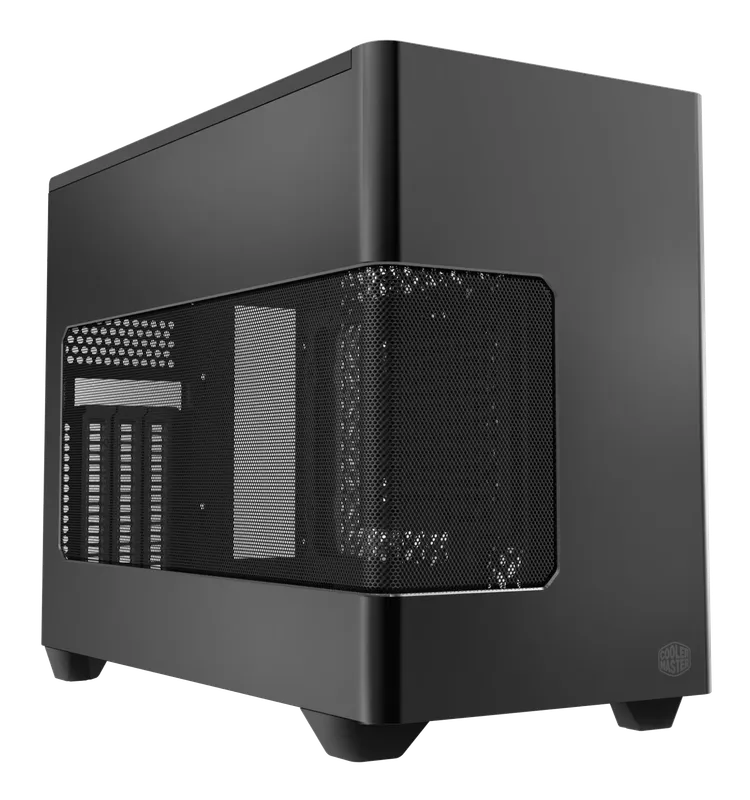
Cooler Master NR200P V3
Check pricefor Cooler Master NR200P V3 (opens in a new tab)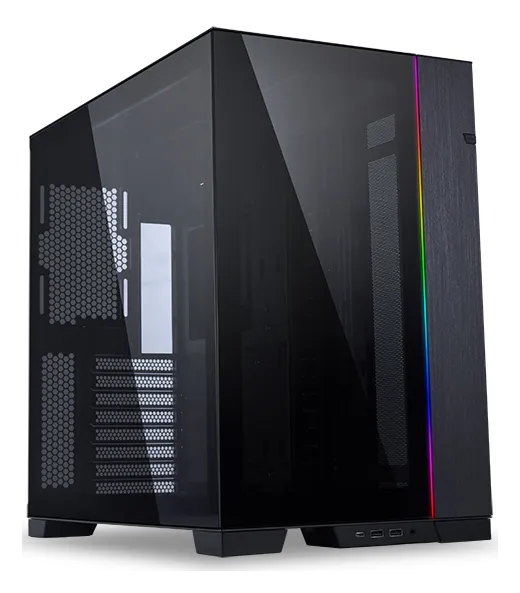
Lian Li O11 Dynamic EVO
Check pricefor Lian Li O11 Dynamic EVO (opens in a new tab)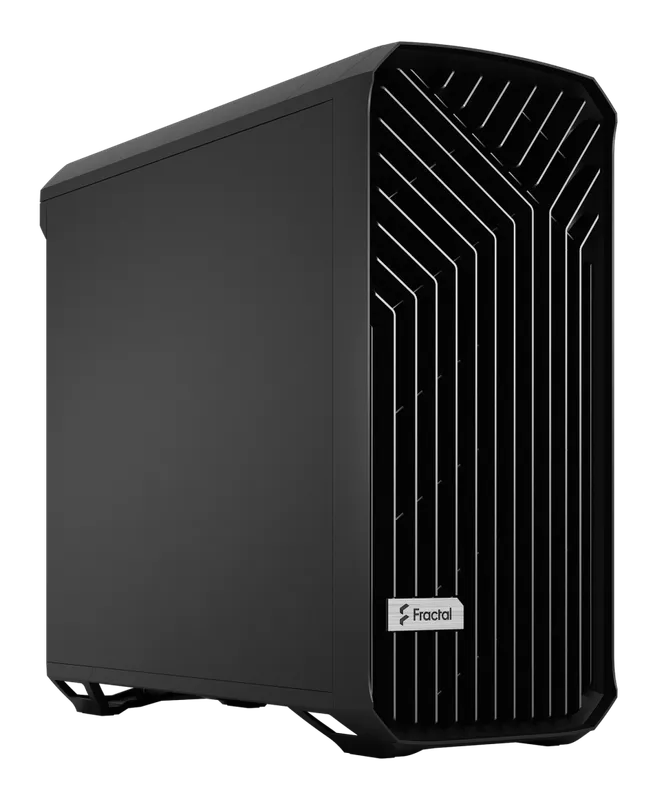
Fractal Design Torrent
Check pricefor Fractal Design Torrent (opens in a new tab)Compare specs
| Product | #1Montech AIR 903 MAXBest budget | #2Lian Li Lancool 216Best overall | #3Fractal Design NorthBest looking | #4HYTE Y70Best for showing off your GPU | #5Corsair FRAME 4000D RSBest for first builds | #6Cooler Master NR200P V3Best small form factor | #7Lian Li O11 Dynamic EVOBest showcase | #8Fractal Design TorrentBest airflow |
|---|---|---|---|---|---|---|---|---|
| Our rating | ||||||||
| Price | $ | $$ | $$ | $$$ | $$ | $$ | $$$ | $$$ |
| Type | Mid-tower | Mid-tower | Mid-tower | Mid-tower, dual chamber | Mid-tower | Small form factor | Mid-tower, dual chamber | Large mid-tower |
| Motherboard support | Up to E-ATX (check listing) | Up to E-ATX (check listing) | ATX, micro-ATX, mini-ITX | Up to E-ATX (check listing) | Mini-ITX, micro-ATX, ATX (check listing for E-ATX) | Mini-ITX | Up to E-ATX | Up to E-ATX |
| Included fans | Multiple 140 mm ARGB (check listing) | 2 × 160 mm front, 1 × 140 mm rear | 2 × 140 mm front | Check listing | 3 × 120 mm (RS120 PWM) | Check listing (room for 2 × 120/140 mm top, 1 × 120 mm bottom) | None | 2 × 180 mm front, 3 × 140 mm bottom |
| Radiator support | Up to 360 mm (check listing) | Up to 360 mm (front and top, check listing) | Up to 360 mm front (check listing) | Up to 360 mm (check listing) | Up to 360 mm front, top, and side | Up to 280 mm (top) | Up to three 360 mm (side, top, bottom) | Up to 420 mm front (check listing) |
| Front panel | Mesh | Mesh | Wood slats + mesh | Tempered glass (panoramic) | 3D Y-pattern steel mesh | Mesh or aluminum side panels | Tempered glass | Open grille |
| Standout feature | Lots of included fans for the price | Large 160 mm intake fans | Walnut or oak front panel | Vertical GPU mount + PCIe riser | Modular FRAME system, up to 12 × 120 mm fans | Vertical GPU mount with PCIe 5.0 riser | Reversible, panoramic glass | 180 mm front fans |
| Buy | Check pricefor Montech AIR 903 MAX (opens in a new tab) | Check pricefor Lian Li Lancool 216 (opens in a new tab) | Check pricefor Fractal Design North (opens in a new tab) | Check pricefor HYTE Y70 (opens in a new tab) | Check pricefor Corsair FRAME 4000D RS (opens in a new tab) | Check pricefor Cooler Master NR200P V3 (opens in a new tab) | Check pricefor Lian Li O11 Dynamic EVO (opens in a new tab) | Check pricefor Fractal Design Torrent (opens in a new tab) |
The picks, reviewed
MontechMontech AIR 903 MAX
A full set of large ARGB fans and a high-airflow mesh front at a budget price. You do not need to buy extra fans to get great cooling.
Pros
- Several 140 mm fans included
- Strong airflow for the price
Cons
- Build quality and finish trail pricier cases
- Type
- Mid-tower
- Motherboard support
- Up to E-ATX (check listing)
- Included fans
- Multiple 140 mm ARGB (check listing)
- Radiator support
- Up to 360 mm (check listing)
Lian LiLian Li Lancool 216
Excellent airflow from two large 160 mm front fans, smart build-friendly features, and a very fair price. It is the case we would recommend to almost anyone.
Pros
- Big 160 mm front fans move lots of air quietly
- Easy to build in, with good cable management
- Great value for the features
Cons
- Plain looks next to showcase cases
- Type
- Mid-tower
- Motherboard support
- Up to E-ATX (check listing)
- Included fans
- 2 × 160 mm front, 1 × 140 mm rear
- Radiator support
- Up to 360 mm (front and top, check listing)
Fractal DesignFractal Design North
Real wood front slats and a furniture-like design make a PC that looks at home in a living room, not just a gaming den, with good airflow to match.
Pros
- Stunning wood-accented design
- Good airflow through the slatted mesh front
- Choice of mesh or tempered-glass side panel
Cons
- Tighter clearances than larger mid-towers (check GPU length)
- Type
- Mid-tower
- Motherboard support
- ATX, micro-ATX, mini-ITX
- Included fans
- 2 × 140 mm front
- Radiator support
- Up to 360 mm front (check listing)
HYTEHYTE Y70
A panoramic dual-chamber case built around a vertical GPU mount, with a riser included. Your graphics card becomes the centerpiece, framed by seamless glass.
Pros
- Vertical GPU mounting with riser included
- Seamless wraparound glass
- Spacious dual-chamber layout
Cons
- Large footprint
- Check the listing for included fans
- Type
- Mid-tower, dual chamber
- Motherboard support
- Up to E-ATX (check listing)
- Included fans
- Check listing
- Radiator support
- Up to 360 mm (check listing)
CorsairCorsair FRAME 4000D RS
The successor to Corsair’s popular 4000D Airflow: an easy-to-build mid-tower with a 3D steel airflow front, three included fans, and the modular FRAME system that lets you slide fans exactly where you want them.
Pros
- Three RS120 PWM fans included, daisy-chainable
- InfiniRail fan mounts slide to where you need airflow
- 360 mm radiator support in the front, roof, and side
- Supports back-connect motherboards (ASUS BTF, MSI Project Zero)
Cons
- Larger than the old 4000D
- Type
- Mid-tower
- Motherboard support
- Mini-ITX, micro-ATX, ATX (check listing for E-ATX)
- Included fans
- 3 × 120 mm (RS120 PWM)
- Radiator support
- Up to 360 mm front, top, and side
Cooler MasterCooler Master NR200P V3
The third generation of the classic NR200P. It is still the easiest way into a compact mini-ITX build, now redesigned around today’s huge GPUs with a vertical mount and an included PCIe 5.0 riser.
Pros
- Fits GPUs up to 361.5 mm long and 3.8 slots wide
- PCIe 5.0 riser cable included
- 240 or 280 mm AIO on top
Cons
- Mini-ITX boards only
- Needs an SFX or SFX-L power supply
- Only 70 mm of air-cooler height
- Type
- Small form factor
- Motherboard support
- Mini-ITX
- Included fans
- Check listing (room for 2 × 120/140 mm top, 1 × 120 mm bottom)
- Radiator support
- Up to 280 mm (top)
Lian LiLian Li O11 Dynamic EVO
The iconic dual-chamber glass case. It hides the PSU and cables in a rear chamber, offers huge radiator support, and can be flipped to suit either side of your desk.
Pros
- Room for multiple 360 mm radiators
- Reversible layout for left or right desk placement
- Clean, cable-free main chamber
Cons
- No fans included (budget for them)
- Glass front needs side and bottom intake fans
- Type
- Mid-tower, dual chamber
- Motherboard support
- Up to E-ATX
- Included fans
- None
- Radiator support
- Up to three 360 mm (side, top, bottom)
Fractal DesignFractal Design Torrent
Built around huge 180 mm front fans and an open front grille, it keeps hot GPUs and CPUs cooler and quieter than almost any other case.
Pros
- Class-leading cooling performance
- Five fans included, among them 2 × 180 mm
- Runs quietly for the airflow it delivers
Cons
- Large and heavy
- Unusual layout takes some planning
- Type
- Large mid-tower
- Motherboard support
- Up to E-ATX
- Included fans
- 2 × 180 mm front, 3 × 140 mm bottom
- Radiator support
- Up to 420 mm front (check listing)
How to choose a PC case
Pick a size
| Size | Motherboards | Best for |
|---|---|---|
| Full tower | E-ATX, ATX | Workstations, custom water loops |
| Mid-tower | ATX, micro-ATX, mini-ITX | Most gaming builds |
| Micro-ATX | Micro-ATX, mini-ITX | Smaller desks, budget builds |
| Small form factor | Mini-ITX | Compact and living-room PCs |
Mid-towers are the easiest to build in and the most forgiving on clearances. Small form factor builds look great but need careful part selection, often including an SFX power supply.
Mesh vs. glass fronts
- Mesh fronts give the best airflow, so your GPU and CPU run cooler and quieter.
- Glass-front “fishtank” cases (like the O11 Dynamic EVO and HYTE Y70) look spectacular. They rely on side and bottom intake fans to breathe, so plan your fan layout.
Check clearances before you buy
Always compare the case’s specs against your parts:
- GPU length. Modern high-end cards can be very long and thick. Leave room for front fans and radiators.
- CPU cooler height, for tall dual-tower air coolers.
- Radiator size and thickness. Count the radiator plus its fans, and check for RAM and motherboard heatsinks.
- PSU length, especially in cases with a shroud or front-mounted drive cages.
Features worth paying for
- Front USB-C. It needs a matching USB-C header on your motherboard.
- Included fans. Cases with good fans included save money compared with buying fans separately.
- Dust filters on every intake that pop out easily for cleaning.
- Back-connect motherboard support. Some newer cases support motherboards with rear-facing connectors, such as ASUS BTF and MSI Project Zero, for an ultra-clean look. Check compatibility before buying.
Fan setup basics
- Intake at the front, side, or bottom. Exhaust at the rear and top. Hot air rises.
- Aim for slight positive pressure (a bit more intake than exhaust). It keeps dust out, because air leaves through the unfiltered gaps instead of being drawn in.
- Two or three good intake fans plus one rear exhaust is plenty for most builds.
FAQ
Do I need a big case for a high-end build? Not necessarily, but mid-towers and larger make high-end GPUs and 360 mm radiators much easier to fit and cool. Small form factor high-end builds are possible, but they need careful planning.
Is tempered glass safe? Yes, when handled carefully. Lay panels flat on a soft surface while building, and never lean them against a wall where they can slide.
Are dual-chamber cases worth it? If you want a showcase build with hidden cables, yes. For pure cooling performance per dollar, a high-airflow mesh mid-tower usually wins.