
Best Mechanical Keyboards
The best mechanical keyboards for typing, gaming, and working anywhere, from premium aluminum boards to budget picks, rapid-trigger gaming boards, and split ergonomic layouts.
9 picks · Published
Top picks at a glance
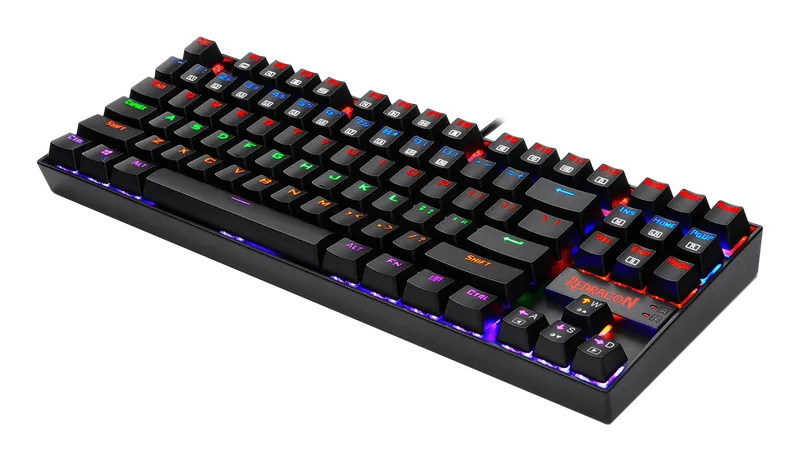
Redragon K552 Kumara
Check pricefor Redragon K552 Kumara (opens in a new tab)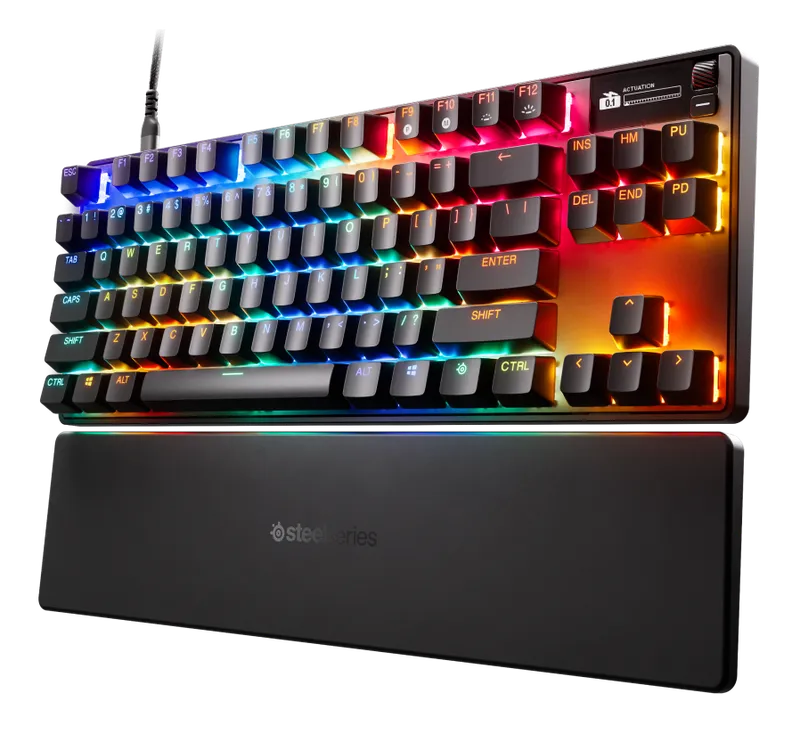
SteelSeries Apex Pro TKL Gen 3
Check pricefor SteelSeries Apex Pro TKL Gen 3 (opens in a new tab)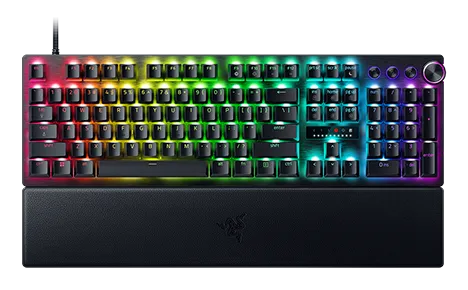
Razer Huntsman V3 Pro
Check pricefor Razer Huntsman V3 Pro (opens in a new tab)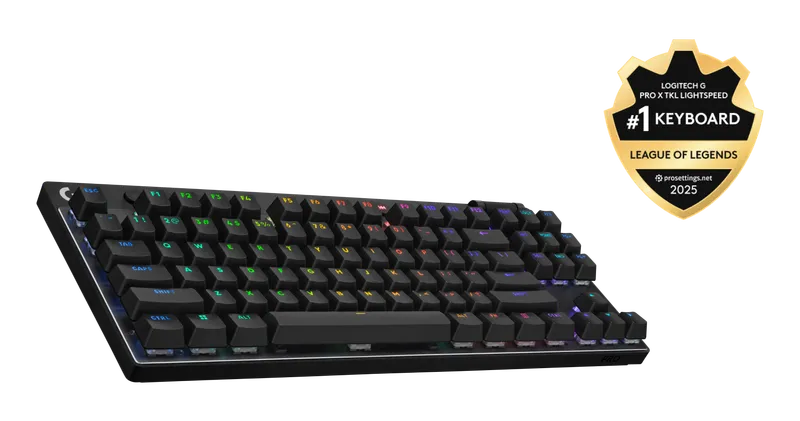
Logitech G Pro X TKL Lightspeed
Check pricefor Logitech G Pro X TKL Lightspeed (opens in a new tab)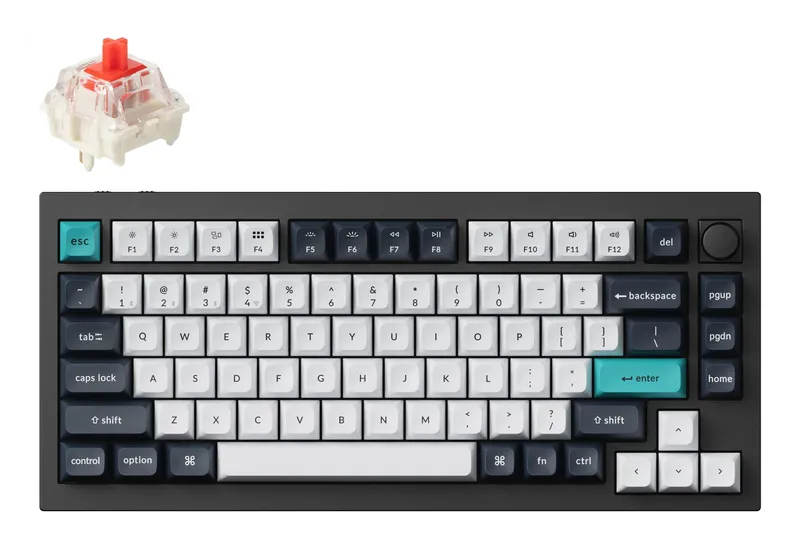
Keychron Q1 Max
Check pricefor Keychron Q1 Max (opens in a new tab)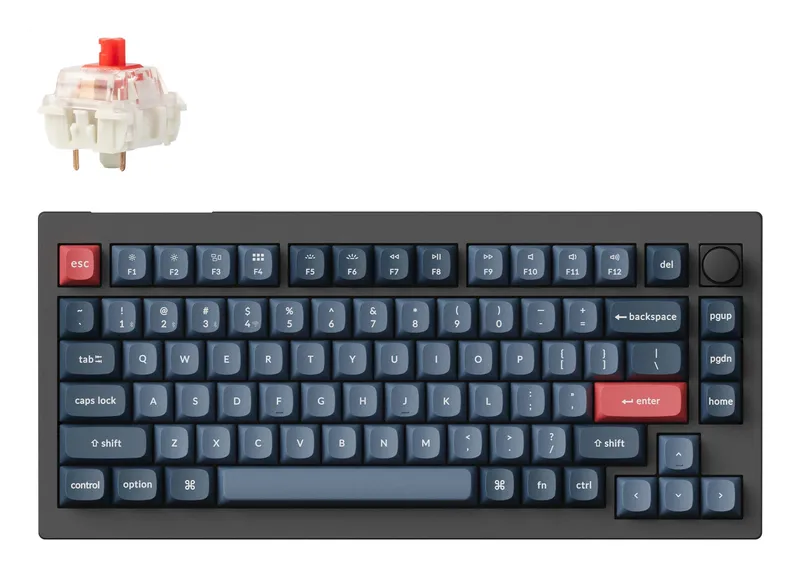
Keychron V1 Max
Check pricefor Keychron V1 Max (opens in a new tab)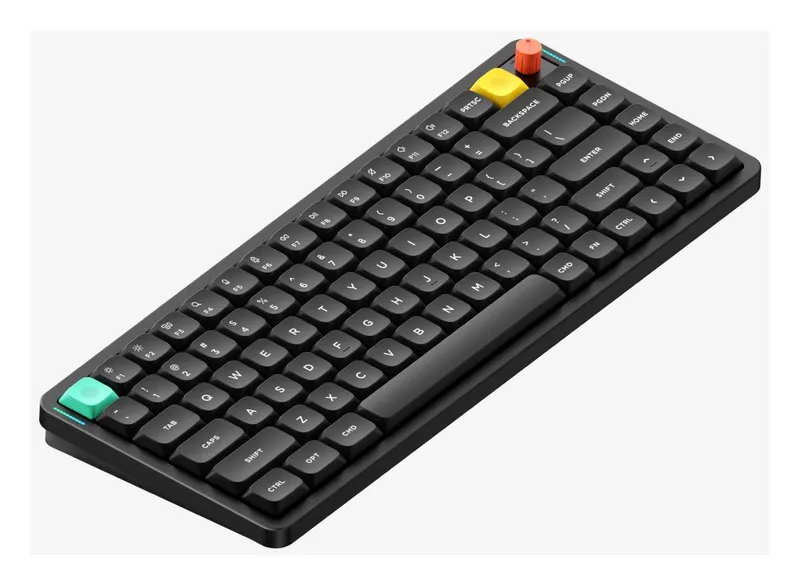
NuPhy Air75 V3
Check pricefor NuPhy Air75 V3 (opens in a new tab)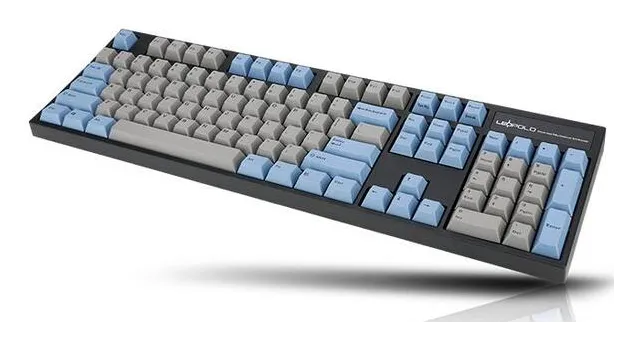
Leopold FC900R
Check pricefor Leopold FC900R (opens in a new tab)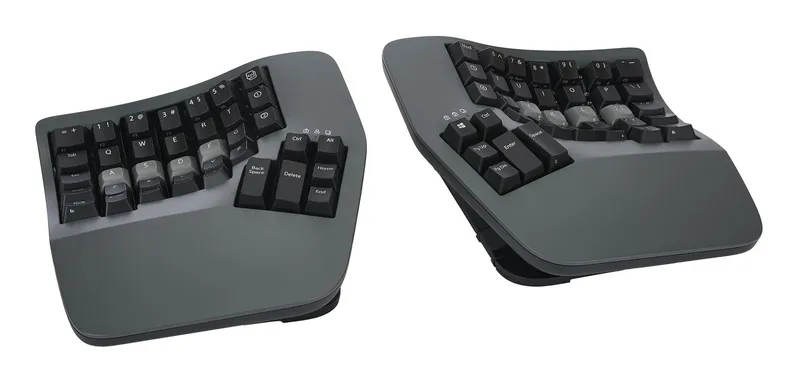
Kinesis Advantage360 Professional
Check pricefor Kinesis Advantage360 Professional (opens in a new tab)Compare specs
| Product | #1Redragon K552 KumaraBest budget | #2SteelSeries Apex Pro TKL Gen 3Best for competitive gaming | #3Razer Huntsman V3 ProBest full-size gaming | #4Logitech G Pro X TKL LightspeedBest wireless gaming | #5Keychron Q1 MaxBest overall | #6Keychron V1 MaxBest value | #7NuPhy Air75 V3Best low-profile | #8Leopold FC900RBest for typists | #9Kinesis Advantage360 ProfessionalBest ergonomic |
|---|---|---|---|---|---|---|---|---|---|
| Our rating | |||||||||
| Price | $ | $$$ | $$$$ | $$$ | $$$ | $$ | $$ | $$ | $$$$ |
| Layout | Tenkeyless (87 keys) | Tenkeyless | Full-size (TKL and mini versions exist) | Tenkeyless | 75% | 75% | 75% low-profile (84 keys) | Full-size | Split, contoured |
| Switches | Outemu (Red / Blue / Brown) | OmniPoint 3.0 magnetic (main keys) | Razer Analog Optical | Logitech GX (Tactile / Linear / Clicky) | Gateron Jupiter (several options) | Several options (check listing) | NuPhy nano low-profile 3.0 (Red, Brown, or Blush) | Cherry MX (several options) | Check listing |
| Connectivity | USB (wired) | USB-C (wired) | USB-C (wired) | Lightspeed 2.4 GHz, Bluetooth, USB-C | 2.4 GHz, Bluetooth, USB-C | 2.4 GHz, Bluetooth, USB-C | 2.4 GHz, Bluetooth 5.0, USB-C | USB (wired) | Bluetooth, USB-C |
| Hot-swappable | Varies by version (check listing) | No | No | No | Yes | Yes | Yes (low-profile switches only) | No | Check listing |
| Build | Plastic case, metal plate | Aluminum top plate, magnetic wrist rest | Aluminum top plate | Check listing | CNC aluminum, gasket mount | Plastic case | Aluminum top, ABS bottom, PBT keycaps | Plastic case, steel plate | Check listing |
| Software | Minimal | SteelSeries GG (QuickSet presets) | Razer Synapse | Logitech G HUB | QMK / VIA | QMK / VIA | NuPhy web configurator (check listing) | None (DIP switches) | ZMK firmware (web configurator) |
| Buy | Check pricefor Redragon K552 Kumara (opens in a new tab) | Check pricefor SteelSeries Apex Pro TKL Gen 3 (opens in a new tab) | Check pricefor Razer Huntsman V3 Pro (opens in a new tab) | Check pricefor Logitech G Pro X TKL Lightspeed (opens in a new tab) | Check pricefor Keychron Q1 Max (opens in a new tab) | Check pricefor Keychron V1 Max (opens in a new tab) | Check pricefor NuPhy Air75 V3 (opens in a new tab) | Check pricefor Leopold FC900R (opens in a new tab) | Check pricefor Kinesis Advantage360 Professional (opens in a new tab) |
The picks, reviewed
RedragonRedragon K552 Kumara
A compact tenkeyless board with real mechanical switches and a metal plate, for about the price of a membrane keyboard. It is a great first step up.
Pros
- Very low price for a mechanical board
- Sturdy metal top plate
Cons
- Wired only
- Stock keycaps and stabilizers feel basic
- Layout
- Tenkeyless (87 keys)
- Switches
- Outemu (Red / Blue / Brown)
- Connectivity
- USB (wired)
- Hot-swappable
- Varies by version (check listing)
SteelSeriesSteelSeries Apex Pro TKL Gen 3
Magnetic OmniPoint 3.0 switches with actuation you can set anywhere from 0.1 to 4.0 mm, plus Rapid Trigger, so keys reset the instant you lift. For fast shooters this is the board to beat.
Pros
- Rapid Trigger and 40-level adjustable actuation (0.1–4.0 mm)
- Rapid Tap and Protection Mode against misfires
- OLED display shows actuation and mode settings at a glance
Cons
- Wired only (a wireless version costs more)
- Arrows, numpad-area, and function keys use standard switches
- Layout
- Tenkeyless
- Switches
- OmniPoint 3.0 magnetic (main keys)
- Connectivity
- USB-C (wired)
- Hot-swappable
- No
RazerRazer Huntsman V3 Pro
Razer's analog optical switches bring adjustable actuation and rapid trigger to a full-size board with media controls and a wrist rest.
Pros
- Rapid trigger with adjustable actuation
- Full-size layout with a number pad
- Premium aluminum top plate and wrist rest
Cons
- Expensive
- Switches are not hot-swappable
- Layout
- Full-size (TKL and mini versions exist)
- Switches
- Razer Analog Optical
- Connectivity
- USB-C (wired)
- Hot-swappable
- No
Logitech GLogitech G Pro X TKL Lightspeed
A tournament-grade tenkeyless board with low-latency Lightspeed wireless, which lets you play with no cable and no compromise.
Pros
- Low-latency Lightspeed wireless plus Bluetooth
- Compact TKL leaves room for mouse movement
Cons
- Not hot-swappable
- Pricey next to wired alternatives
- Layout
- Tenkeyless
- Switches
- Logitech GX (Tactile / Linear / Clicky)
- Connectivity
- Lightspeed 2.4 GHz, Bluetooth, USB-C
- Hot-swappable
- No
KeychronKeychron Q1 Max
A heavy aluminum, gasket-mounted 75% board with wireless, hot-swap sockets, and full QMK/VIA remapping. It delivers custom-keyboard feel without the custom-keyboard hassle.
Pros
- Premium typing feel and sound out of the box
- Tri-mode: 2.4 GHz, Bluetooth, and wired
- Fully remappable with QMK/VIA
Cons
- Heavy, so it stays on the desk
- Tall profile, so many will want a wrist rest
- Layout
- 75%
- Switches
- Gateron Jupiter (several options)
- Connectivity
- 2.4 GHz, Bluetooth, USB-C
- Hot-swappable
- Yes
KeychronKeychron V1 Max
Much of the Q1 Max experience in a plastic case for far less money. It is the easiest recommendation for a first "real" mechanical keyboard.
Pros
- Wireless, hot-swap, and QMK/VIA at a mid-range price
- Knob option for volume control
Cons
- Plastic case feels less premium than the Q series
- Layout
- 75%
- Switches
- Several options (check listing)
- Connectivity
- 2.4 GHz, Bluetooth, USB-C
- Hot-swappable
- Yes
NuPhyNuPhy Air75 V3
A slim, laptop-height mechanical board that fits in a bag, and the third generation of NuPhy’s Air75. It is the pick if you work from cafés or just prefer a flatter typing angle.
Pros
- Thin (13.2 mm) aluminum-top build with a gasket mount
- Tri-mode wireless and a 4000 mAh battery
- No wrist rest needed
Cons
- Low-profile switches and keycaps have fewer aftermarket options
- QMK/VIA support isn’t listed for the V3 (check NuPhy’s site)
- Layout
- 75% low-profile (84 keys)
- Switches
- NuPhy nano low-profile 3.0 (Red, Brown, or Blush)
- Connectivity
- 2.4 GHz, Bluetooth 5.0, USB-C
- Hot-swappable
- Yes (low-profile switches only)
LeopoldLeopold FC900R
No RGB, no software, no wireless, just a superbly built full-size board with thick PBT keycaps and a satisfying, solid typing feel.
Pros
- Excellent thick PBT double-shot keycaps
- Well-tuned stabilizers and quiet case
- Full-size with a number pad
Cons
- Wired only, no backlight
- Not hot-swappable
- Layout
- Full-size
- Switches
- Cherry MX (several options)
- Connectivity
- USB (wired)
- Hot-swappable
- No
KinesisKinesis Advantage360 Professional
A split, contoured keyboard with thumb clusters that puts your hands in a natural position. It is worth the learning curve if you type all day or have wrist pain.
Pros
- Split and sculpted for a neutral wrist posture
- Thumb clusters take load off your pinkies
- Wireless and fully programmable
Cons
- Weeks of adjustment to type at full speed
- Very expensive
- Layout
- Split, contoured
- Switches
- Check listing
- Connectivity
- Bluetooth, USB-C
- Hot-swappable
- Check listing
How to choose a mechanical keyboard
Four decisions matter most, in this order: layout, switches, connectivity, and hot-swap support.
Layout: how many keys do you need?
| Layout | What you lose | Best for |
|---|---|---|
| Full-size (100%) | Nothing | Spreadsheets and number entry |
| Tenkeyless (TKL) | Number pad | Gaming, since your mouse gets more room |
| 75% | Number pad, with the rest squeezed in | Best all-rounder |
| 65% / 60% | Function row, nav cluster | Minimal desks, travel |
| Split / ergonomic | Familiarity at first | All-day typists, wrist comfort |
Our take: 75% suits most people. You keep the function row and arrows in a much smaller footprint.
Switches: linear, tactile, or clicky?
- Linear (e.g. reds): smooth from top to bottom. Quiet and popular for gaming.
- Tactile (e.g. browns): a bump tells you the key registered. A great typing all-rounder.
- Clicky (e.g. blues): a bump plus an audible click. Satisfying, but coworkers may disagree.
- Magnetic / Hall-effect and analog optical: adjustable actuation and rapid trigger, which re-registers a key the moment it starts rising. It’s a real advantage in fast competitive games.
Why hot-swap matters
Hot-swappable boards let you pull switches out and replace them without soldering. If you’re unsure which switch you like, buy hot-swap. It’s the cheapest way to experiment later.
Wired vs. wireless
Modern 2.4 GHz dongles (Logitech Lightspeed, Keychron, NuPhy) are fast enough for gaming. Bluetooth has more latency and is best kept for typing and switching between devices. Wired needs no charging and offers the highest polling rates.
Keycaps: PBT vs. ABS
PBT keycaps resist the greasy shine that develops over time, and double-shot legends never wear off. ABS caps are smoother and often cheaper, but they shine with use. A keycap set is also the easiest upgrade for any board on this list.
FAQ
Are mechanical keyboards worth it? If you type or game daily, yes. They’re more consistent, more durable, more repairable, and far more customizable than membrane keyboards.
What does QMK/VIA mean? QMK is open-source keyboard firmware, and VIA is an app for configuring it. Together they let you remap any key, add layers, and create macros without installing vendor software.
Do I need a wrist rest? On taller boards such as the Keychron Q1 Max, often yes. Low-profile boards like the NuPhy Air75 usually don’t need one.