
Best Gaming Monitors
The best gaming monitors for every GPU and budget: fast 1440p OLEDs, 4K flagships, ultrawides, esports speed demons, and budget panels that still look great.
8 picks · Published
Top picks at a glance
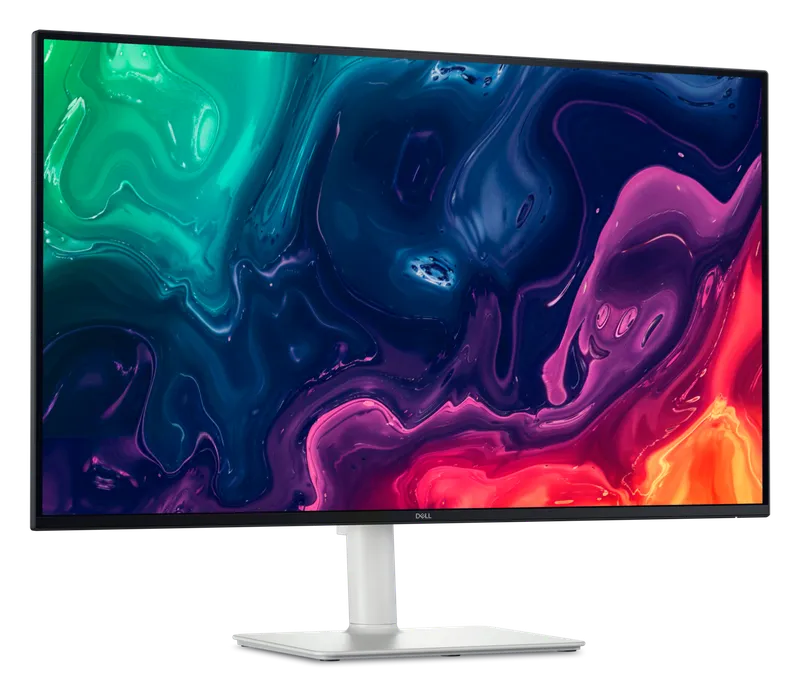
Dell 32 Plus 4K (S3225QS)
Check pricefor Dell 32 Plus 4K (S3225QS) (opens in a new tab)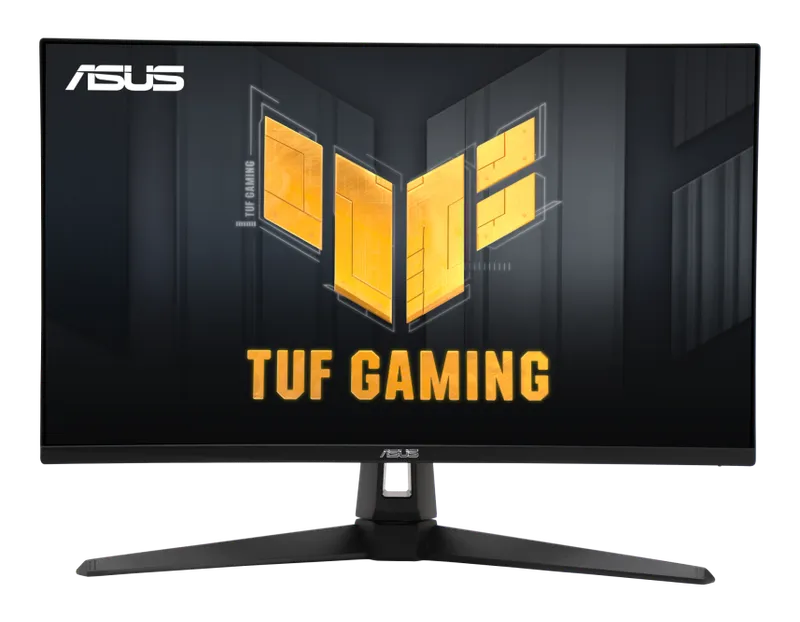
ASUS TUF Gaming VG27AQ3A
Check pricefor ASUS TUF Gaming VG27AQ3A (opens in a new tab)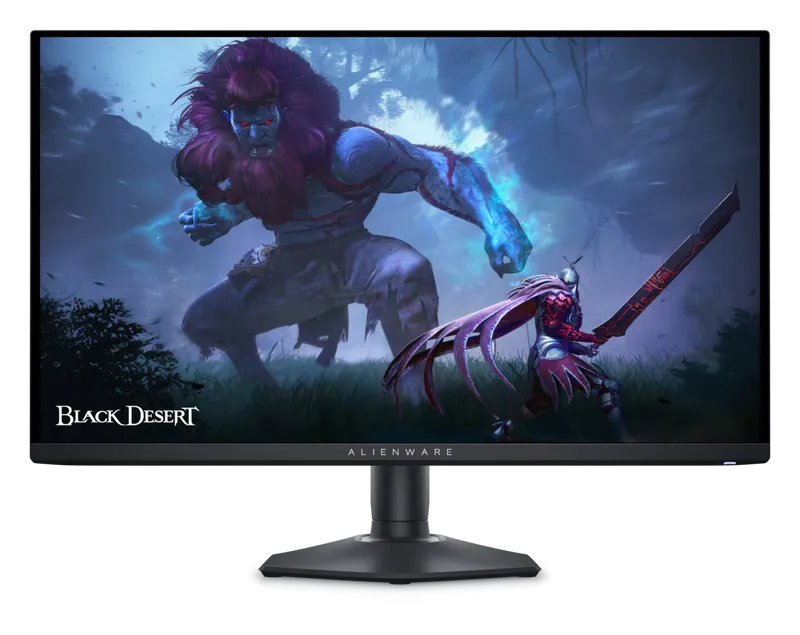
Alienware AW2725DF
Check pricefor Alienware AW2725DF (opens in a new tab)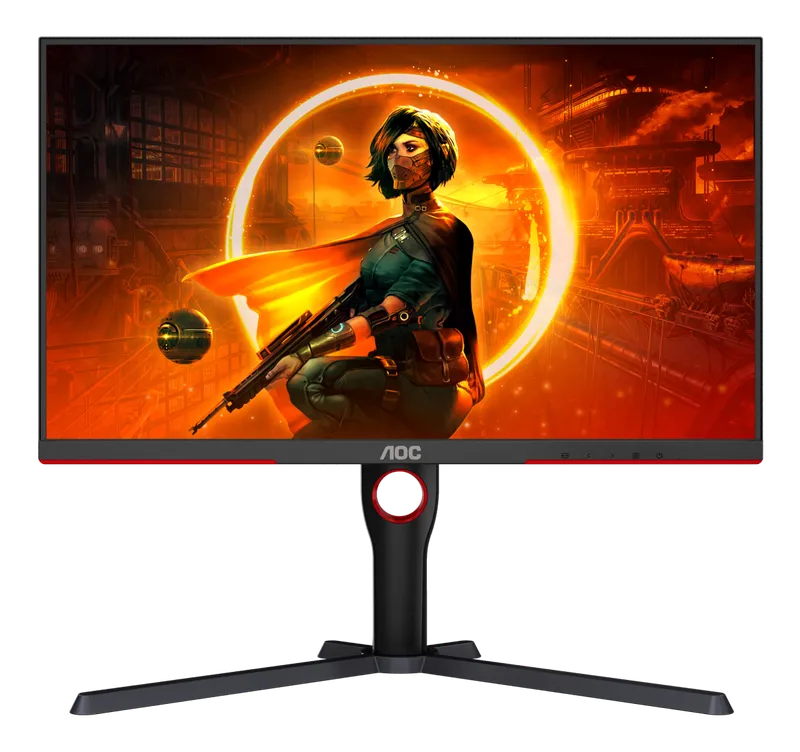
AOC Q27G3XMN
Check pricefor AOC Q27G3XMN (opens in a new tab)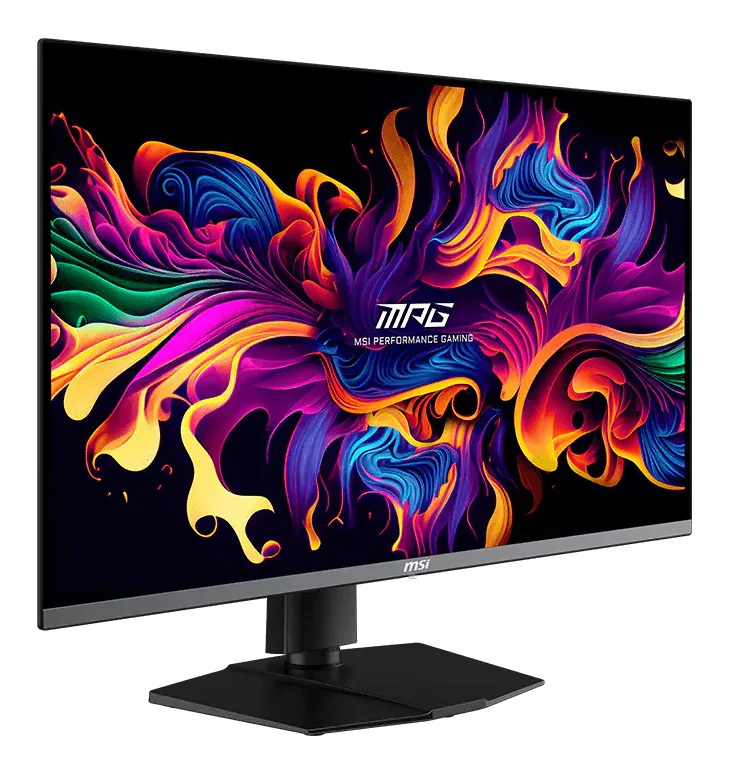
MSI MPG 321URX
Check pricefor MSI MPG 321URX (opens in a new tab)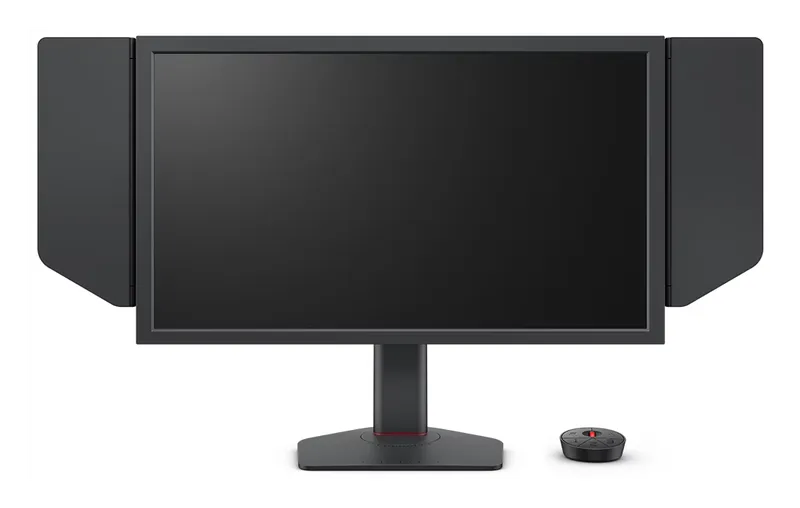
BenQ Zowie XL2566X+
Check pricefor BenQ Zowie XL2566X+ (opens in a new tab)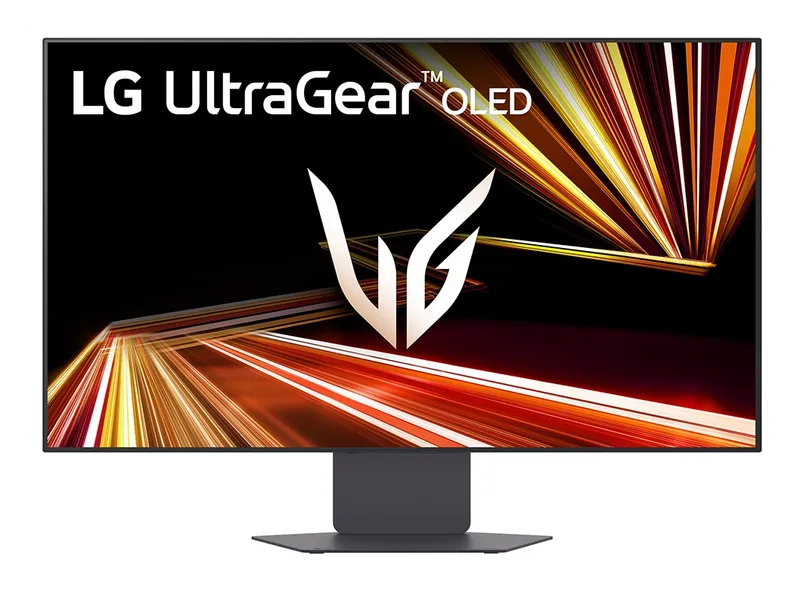
LG UltraGear 32GX870A
Check pricefor LG UltraGear 32GX870A (opens in a new tab)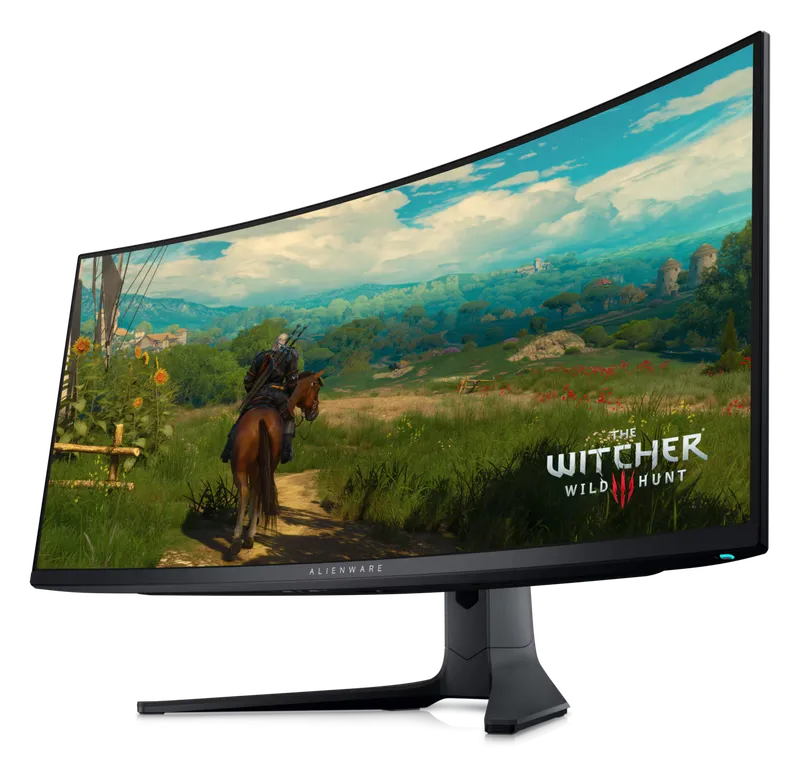
Alienware AW3423DWF
Check pricefor Alienware AW3423DWF (opens in a new tab)Compare specs
| Product | #1Dell 32 Plus 4K (S3225QS)Best for consoles | #2ASUS TUF Gaming VG27AQ3ABest budget 1440p | #3Alienware AW2725DFBest overall | #4AOC Q27G3XMNBest budget HDR | #5MSI MPG 321URXBest 4K | #6BenQ Zowie XL2566X+Best for esports | #7LG UltraGear 32GX870ABest dual-mode | #8Alienware AW3423DWFBest ultrawide |
|---|---|---|---|---|---|---|---|---|
| Our rating | ||||||||
| Price | $$ | $ | $$$ | $$ | $$$$ | $$$ | $$$$ | $$$ |
| Size | 31.5" | 27" | 27" | 27" | 32" | 24.1" | 31.5" | 34" curved (1800R) |
| Resolution | 3840 × 2160 | 2560 × 1440 | 2560 × 1440 | 2560 × 1440 | 3840 × 2160 | 1920 × 1080 | 3840 × 2160 (or 1920 × 1080 in dual mode) | 3440 × 1440 |
| Refresh rate | 120 Hz | 180 Hz (DisplayPort; 144 Hz over HDMI) | 360 Hz | 180 Hz | 240 Hz | 400 Hz | 240 Hz (480 Hz in 1080p mode) | 165 Hz |
| Panel type | VA | Fast IPS | QD-OLED | VA mini-LED | QD-OLED | Fast TN | OLED | QD-OLED |
| HDR | HDR10 (300 nits) | HDR10 | DisplayHDR True Black 400 | DisplayHDR 1000 | DisplayHDR True Black 400 | None | DisplayHDR True Black 400 | DisplayHDR True Black 400 |
| Adaptive sync | FreeSync Premium, HDMI 2.1 VRR | FreeSync Premium, G-Sync Compatible | FreeSync Premium Pro, G-Sync Compatible | Adaptive-Sync (check listing) | Adaptive-Sync, G-Sync Compatible (check listing) | VRR (only with DyAc 2 off) | G-Sync Compatible, FreeSync Premium Pro | FreeSync Premium Pro |
| Buy | Check pricefor Dell 32 Plus 4K (S3225QS) (opens in a new tab) | Check pricefor ASUS TUF Gaming VG27AQ3A (opens in a new tab) | Check pricefor Alienware AW2725DF (opens in a new tab) | Check pricefor AOC Q27G3XMN (opens in a new tab) | Check pricefor MSI MPG 321URX (opens in a new tab) | Check pricefor BenQ Zowie XL2566X+ (opens in a new tab) | Check pricefor LG UltraGear 32GX870A (opens in a new tab) | Check pricefor Alienware AW3423DWF (opens in a new tab) |
The picks, reviewed
DellDell 32 Plus 4K (S3225QS)
A 32-inch 4K monitor with two HDMI 2.1 ports that run 4K at 120 Hz with VRR, so a PS5 or Xbox Series X plays at full speed. It is also an affordable 4K screen for work, with no OLED burn-in to worry about.
Pros
- Two HDMI 2.1 ports with 4K 120 Hz and VRR for current consoles
- No burn-in risk, so static HUDs and desktop work are fine
- Side-access HDMI port for quick console swaps
Cons
- VA panel: good contrast, but not OLED-level dark scenes
- HDR10 at 300 nits is entry-level
- Size
- 31.5"
- Resolution
- 3840 × 2160
- Refresh rate
- 120 Hz
- Panel type
- VA
ASUSASUS TUF Gaming VG27AQ3A
A fast 27-inch 1440p IPS panel at a budget price. It is the easy default if you want a big upgrade over 1080p without OLED money.
Pros
- Sharp 1440p at 180 Hz for a budget price
- Fast IPS with a 1 ms response and ELMB Sync
- Wide 130% sRGB color
Cons
- Basic HDR10 only
- No height adjustment; 180 Hz needs DisplayPort
- Size
- 27"
- Resolution
- 2560 × 1440
- Refresh rate
- 180 Hz (DisplayPort; 144 Hz over HDMI)
- Panel type
- Fast IPS
AlienwareAlienware AW2725DF
A 27-inch 1440p QD-OLED running at 360 Hz. It combines near-instant pixel response, perfect blacks, and vivid color at a resolution mid-to-high-end GPUs can actually drive.
Pros
- Extremely fast motion clarity at 360 Hz
- OLED contrast and vibrant QD-OLED color
- 1440p is the sweet spot for sharpness vs. GPU load
Cons
- OLED burn-in risk with static content (check warranty)
- Glossy finish reflects bright rooms
- Size
- 27"
- Resolution
- 2560 × 1440
- Refresh rate
- 360 Hz
- Panel type
- QD-OLED
AOCAOC Q27G3XMN
Mini-LED local dimming and a bright VA panel bring real HDR punch to a budget price. It is the cheapest way to see what HDR is supposed to look like.
Pros
- Genuine HDR brightness with mini-LED dimming
- High VA contrast for dark games
- Excellent value
Cons
- Some blooming around bright objects
- VA panels smear slightly in dark transitions
- Size
- 27"
- Resolution
- 2560 × 1440
- Refresh rate
- 180 Hz
- Panel type
- VA mini-LED
MSIMSI MPG 321URX
A flat 32-inch 4K QD-OLED at 240 Hz. It is razor sharp for work and stunning in games, with the connectivity to double as a desk hub.
Pros
- 4K sharpness with OLED contrast and speed
- USB-C with power delivery and a KVM switch (check listing)
- HDMI 2.1 for consoles
Cons
- Needs a high-end GPU to reach 240 fps at 4K
- OLED burn-in risk (check warranty)
- Size
- 32"
- Resolution
- 3840 × 2160
- Refresh rate
- 240 Hz
- Panel type
- QD-OLED
BenQ ZowieBenQ Zowie XL2566X+
The successor to the tournament-standard XL2566K: a 24-inch 400 Hz Fast TN monitor with DyAc 2 dual-backlight strobing for exceptionally clear motion in fast shooters. It is built purely for competitive play.
Pros
- 400 Hz with DyAc 2 for exceptional motion clarity
- Official on-stage monitor of VALORANT Champions Tour Americas
- 155 mm height adjustment and a shielding hood
Cons
- Washed-out TN colors and viewing angles
- 400 Hz needs DisplayPort (HDMI tops out at 240 Hz)
- Size
- 24.1"
- Resolution
- 1920 × 1080
- Refresh rate
- 400 Hz
- Panel type
- Fast TN
LGLG UltraGear 32GX870A
Two monitors in one, and the successor to LG’s 32GS95UE. Run 4K at 240 Hz for single-player games, then switch to 1080p at 480 Hz for competitive shooters, now with DisplayPort 2.1.
Pros
- Dual-mode: 4K 240 Hz or 1080p 480 Hz
- DisplayPort 2.1 plus two HDMI 2.1 ports
- 0.03 ms response and 98.5% DCI-P3 color
Cons
- 1080p mode looks soft on a 32" screen
- OLED burn-in risk (check warranty)
- Size
- 31.5"
- Resolution
- 3840 × 2160 (or 1920 × 1080 in dual mode)
- Refresh rate
- 240 Hz (480 Hz in 1080p mode)
- Panel type
- OLED
AlienwareAlienware AW3423DWF
A curved 34-inch ultrawide QD-OLED that wraps racing sims, flight games, and RPGs around your vision. It has become one of the best-value OLEDs available.
Pros
- Immersive 21:9 curved ultrawide
- OLED contrast at a strong price for its class
- Great for productivity with side-by-side windows
Cons
- Not every game supports 21:9
- Lower refresh rate than newer OLEDs
- Size
- 34" curved (1800R)
- Resolution
- 3440 × 1440
- Refresh rate
- 165 Hz
- Panel type
- QD-OLED
How to choose a gaming monitor
Match resolution to your graphics card
| Resolution | Best screen size | GPU you’ll want |
|---|---|---|
| 1080p | 24” | Entry-level. Also the esports standard |
| 1440p | 27” | Mid-range to high-end. The sweet spot for most players |
| 4K | 32” | High-end, or upscaling (DLSS / FSR) |
| Ultrawide 3440 × 1440 | 34” | Upper mid-range to high-end |
A monitor your GPU can’t drive at high frame rates wastes its refresh rate. A modest GPU on a 1440p 165 Hz panel often plays better than it would on a 4K display.
Panel types, explained
| Panel | Strengths | Weaknesses |
|---|---|---|
| OLED (QD-OLED / WOLED) | Perfect blacks, instant response, vivid color | Burn-in risk, higher price, dimmer full-screen brightness |
| Mini-LED | Very bright HDR, no burn-in | Blooming halos around bright objects |
| IPS | Accurate color, wide viewing angles, affordable | Mediocre contrast, glow in dark rooms |
| VA | High contrast for the price | Dark-scene smearing |
| TN | Cheapest route to extreme refresh rates | Poor color and viewing angles |
Refresh rate
144–180 Hz is a huge upgrade over 60 Hz for everyone. 240 Hz and above mainly benefits competitive players who can actually hit those frame rates. OLEDs feel faster than LCDs at the same refresh rate because their pixels change almost instantly.
HDR certifications
DisplayHDR 400 on an LCD is mostly marketing. Real HDR on an LCD starts around DisplayHDR 1000 with local dimming. OLEDs use the separate True Black certifications. Their deep blacks give strong HDR impact even at lower peak brightness.
Buying for PS5 or Xbox?
- Look for HDMI 2.1 to get 4K at 120 Hz. Many PC-focused monitors have older HDMI ports that cap consoles lower.
- Console refresh tops out at 120 Hz, so a 360 Hz panel adds nothing for console games.
- PS5 and Xbox Series X|S both support 1440p output, but 4K 120 Hz panels give consoles the most headroom.
OLED burn-in: should you worry?
Modern OLED gaming monitors include pixel-refresh routines, and many brands now offer burn-in warranty coverage. Check the terms before you buy. To reduce risk:
- Let the monitor run its pixel-refresh cycles, which usually happen automatically in standby.
- Use a dark or auto-hiding taskbar and a screen saver.
- If you’ll leave static spreadsheets or HUDs up for hours every day, consider an IPS or mini-LED panel instead.
FAQ
Do I need G-Sync or FreeSync? You want adaptive sync of some kind, because it eliminates screen tearing without V-Sync’s input lag. “G-Sync Compatible” FreeSync monitors work with NVIDIA cards, and FreeSync works natively with AMD.
Curved or flat? Curves help on ultrawides of 34” and up, where they keep the edges in view. At 27–32”, flat is usually the better choice for gaming and work alike.
Is 1080p still worth buying? For competitive esports at 24”, yes. For everything else, 1440p is now affordable enough that it’s the better buy.